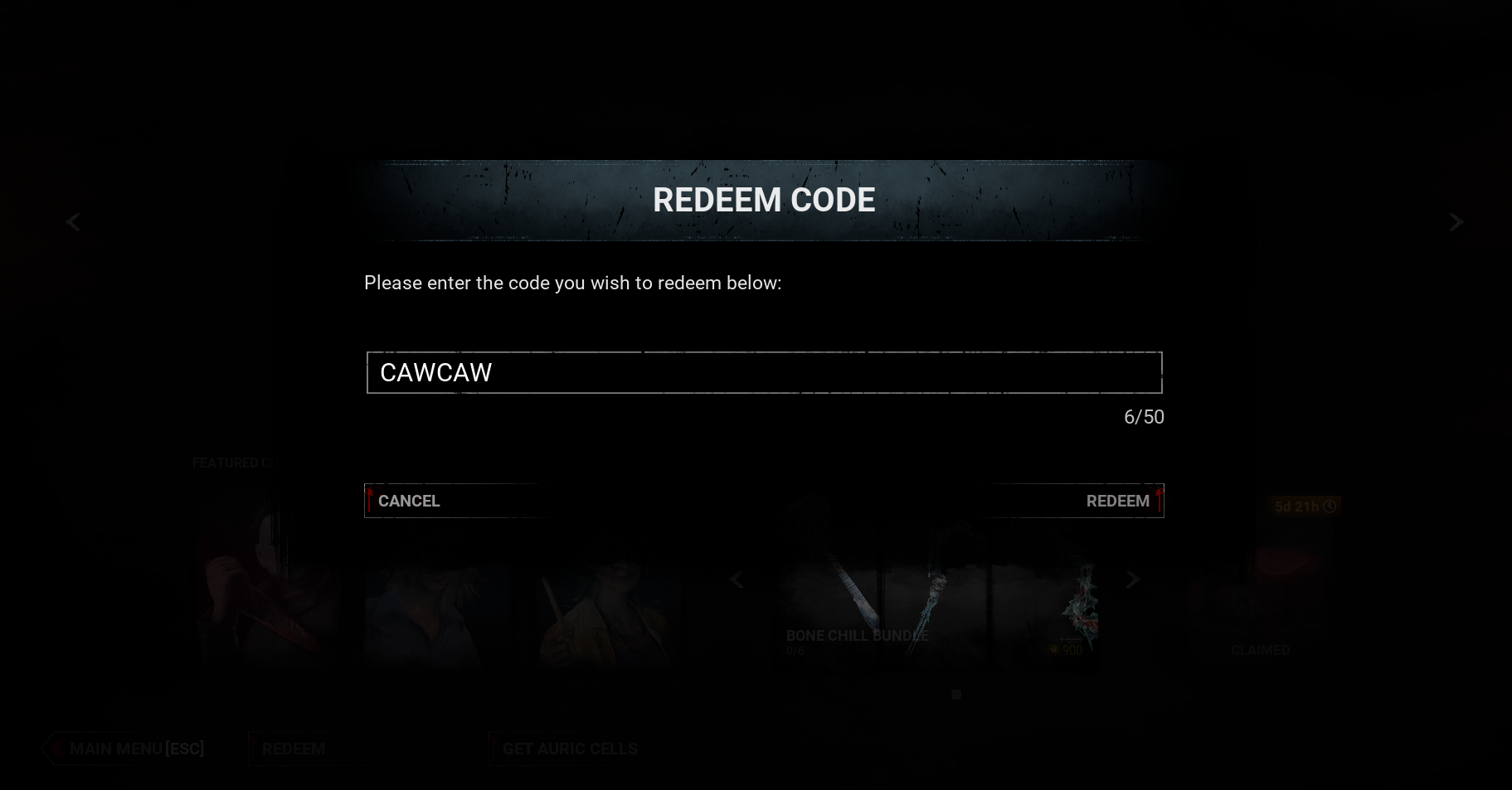
The DBD10BIRTHDAY code works once per Behaviour account, but you can claim it on every unlinked store (Steam, Epic Games Store, Xbox, PlayStation, Nintendo Switch) and merge the Bloodpoints into one account using Dead by Daylight's Cross-Progression system. If you have the game on three unlinked platforms, you can stack 30 million free Bloodpoints. Four platforms, 40 million. The trick is real, it is not against the rules, and it has worked on every previous Behaviour promo code. Here is the exact step-by-step for the 2026 10th-anniversary code, including how to set up Cross-Progression so the Bloodpoints land on your main account.
TL;DR
- Code:
DBD10BIRTHDAY - Reward: 10,000,000 Bloodpoints per platform account
- Expiry: July 16, 2026
- Max stack per Behaviour account: Unlimited (one claim per unlinked store account, then merge)
- Time to complete: 15-30 minutes per platform
- What you need: A Behaviour account, a copy of DBD on at least one unlinked platform (Epic, Xbox, PlayStation, Switch), the ability to redeem the code on that platform
How the trick works (and why BHVR allows it)
The DBD10BIRTHDAY code is tracked against the Behaviour account, not the store account. The store is what authenticates the redemption, but the reward is bound to the BHVR profile.
The store platforms Behaviour supports for DBD each maintain their own isolated player database:
- Steam
- Epic Games Store
- PlayStation (PS4 / PS5)
- Xbox (One / Series X|S)
- Nintendo Switch
If you bought DBD on Steam and have never opened it on Epic, your Epic account has no DBD player profile yet. The store thinks you are a new player. So when you redeem DBD10BIRTHDAY there, the system grants the reward because the Behaviour account has not yet received it on that store.
The catch: those Bloodpoints are stored under a fresh, empty DBD profile on Epic. To get them onto your main Steam profile, you have to use Cross-Progression to merge the two Behaviour accounts (or rather, to link the new Epic-side Behaviour account to your existing one and sync progress).
From the official DBD Cross-Progression FAQ: "You will be able to link & sync one platform account. For example, this means you can have one Steam account and one PlayStation account linked together." Behaviour has not put a hard limit on how many store-platform accounts you can sync, and they have explicitly confirmed in the Cross-Progression merge megathread on r/deadbydaylight that there is no rule against redeeming a code and then linking accounts. This has worked on every previous anniversary code (ENTITYPLEASED, DISCORD150K, etc.) and is widely considered part of the intended promo design.
Before you start
- You need a copy of DBD on a platform that is not currently linked to your main Behaviour account. This means one of the following:
- You own DBD on Epic but have never opened it
- You have a free Epic Games Store copy from a previous promotion (Behaviour gave out free Epic copies in 2021 and 2023)
- You have a family-shared copy on a different platform account
- You have access to a friend's console and are logged into your own PSN / Xbox Live account
- You need a Behaviour account. Create one free at accounts.bhvr.com if you do not already have one.
- You need the game installed on the unlinked platform. Downloads are 50-70 GB depending on platform, so start the install before you do anything else.
- You need ~15-30 minutes per platform. Most of that is the install and the Cross-Progression merge.
You do not need a second copy of the game purchased. The free Epic copies from 2021 and 2023 promotions are still in players' libraries and count as a valid platform account. Cross-Progression also works on game-share-eligible accounts if the family head owns the base game.
Step-by-step: redeem the code on a new platform
Repeat this section for every platform you have access to that is not already linked to your main Behaviour account. Each successful merge adds another 10 million Bloodpoints to your main profile.
Step 1: Install DBD on the unlinked platform
Download the game from the platform store you have not used yet. Common scenarios:
- Epic Games Store: Search for Dead by Daylight in your Epic library. If you own the base game from the 2021 or 2023 free-promo period, it will show as "Owned." Install it.
- PlayStation: Download from PSN, sign in with your own PSN account.
- Xbox: Download from Microsoft Store, sign in with your own Xbox Live account.
- Nintendo Switch: Download from Nintendo eShop, sign in with your own Nintendo Account.
Step 2: Launch the game and create a Behaviour account (or sign in)
When DBD boots on the new platform, the first launch will ask you to either sign in to an existing Behaviour account or create a new one. Sign in to your main Behaviour account (the one tied to your Steam profile where you normally play). The store-side account is fresh, but the Behaviour account is what tracks the Bloodpoints reward, so the redemption on this platform will still hit the same BHVR profile.
If you accidentally created a new Behaviour account at this step instead of signing in, you can link it later under Settings > Cross-Progression > Link Account. Do not skip this step - if the platforms are linked to different BHVR accounts, the Bloodpoints stay separate and the merge does not work.
Step 3: Redeem the code DBD10BIRTHDAY
Once the game loads your main profile on the new platform:
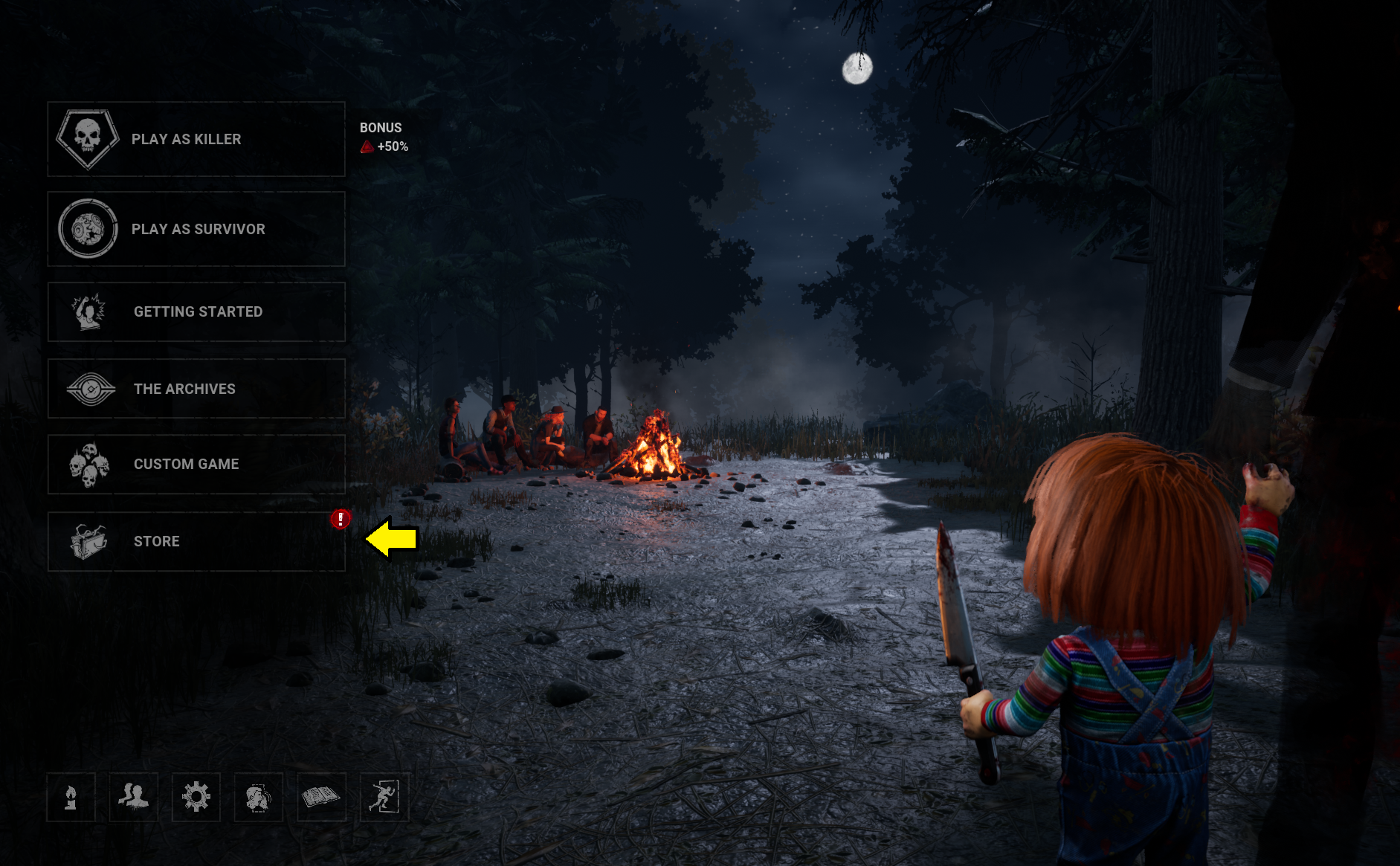
- Open the in-game Store (top-right of the menu screen)
- Click "Redeem Code" in the top-right of the Store screen
- Type
DBD10BIRTHDAY(no spaces, all caps) - Confirm
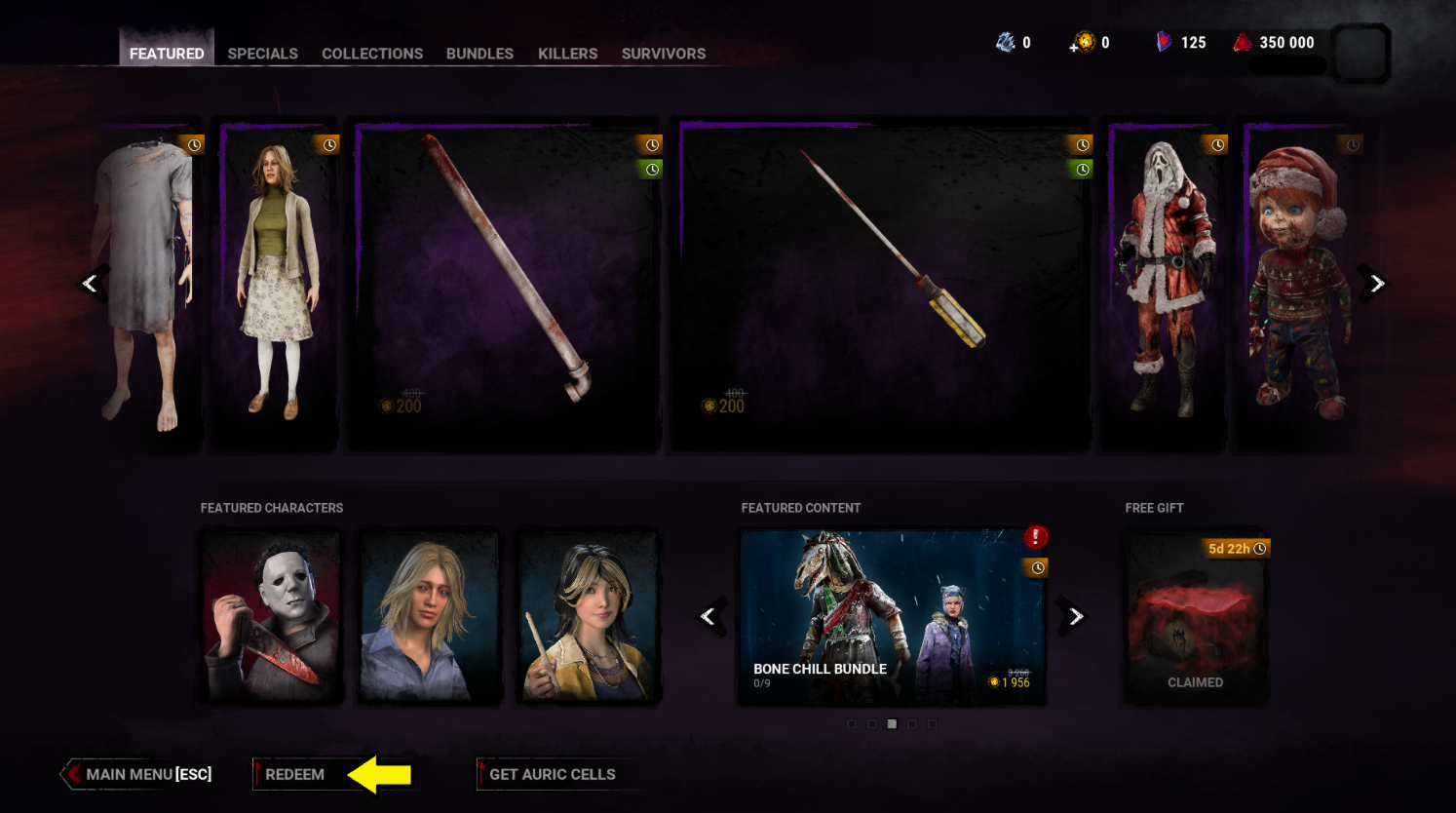
You will receive a confirmation pop-up. The 10 million Bloodpoints are credited to your Behaviour account immediately. If you got an "already redeemed" error, your BHVR account already received the reward on this platform through a previous promo - skip to the next platform.
Important: The code only works once per Behaviour account per store. If you have redeemed this exact code on Steam before (because you played the 10th-anniversary live stream and used the code there), it will not work again on Steam. It will work on Epic, Xbox, PS, and Switch because those are separate store-side redeems against the same BHVR profile.
Step 4: Set up Cross-Progression to merge store-side entitlements
Critical: The order here matters. You redeem the code first (Step 3 above) while signed into your main Behaviour account on the new platform. Then you set up Cross-Progression. Claim first, link second. If you set up Cross-Progression first and then redeem, the reward lands on whichever Behaviour account was active at the moment of redemption - which may not be the one you want, and the merge becomes much messier.
Cross-Progression is what syncs the store-side entitlements - DLC ownership, purchased cosmetics, the characters themselves. The Bloodpoint reward tracks on the Behaviour-account side, which is why signing into your main BHVR account in Step 2 + redeeming in Step 3 is what actually moves the 10M into your main balance. Cross-Progression itself just ensures the store-side stuff follows.
To verify it worked: log back into your main platform (wherever you play the most - Steam, PS5, Xbox) and check your Bloodpoints total. If you see the additional 10 million, the trick worked. If you do not, force a Cross-Progression sync:
- On the new platform, go to Settings > Cross-Progression > Manage Linked Accounts
- Confirm your main Behaviour account is listed and shows as the primary
- Toggle Cross-Progression off and back on to force a sync
- Restart the game on your main platform
For console-only players who do not have a Steam copy, the same Bloodpoints are accessible on whichever platform is your primary - just open the Bloodweb or any menu on your main platform after the redemption and the BP balance will reflect the new total.
Step 5: Repeat for every unlinked platform
Each platform you have access to that is not currently linked gets you another 10 million Bloodpoints. Realistic maximums:
| Platforms redeemed on | Total Bloodpoints | Realistic for |
|---|---|---|
| 1 (your main) | 10,000,000 | Everyone |
| 2 | 20,000,000 | Anyone with Epic free copy from 2021 or 2023 |
| 3 | 30,000,000 | Multi-console players |
| 4 | 40,000,000 | Multi-console players with cross-buy |
| 5 (all stores) | 50,000,000 | Only if you bought DBD on every store separately |
FAQ
Is redeeming the DBD10BIRTHDAY code on multiple platforms against the rules?
No. Behaviour Interactive has not put a rule against it. From the official Cross-Progression FAQ and the r/deadbydaylight cross-progression merge megathread, you can link and sync platform accounts in any combination. There is no limit on how many stores you can sync to a single Behaviour account, and promo codes are tracked per-BHVR-account per-store.
Will my account get banned for doing this?
No. This is the intended mechanism - every previous Behaviour anniversary code has worked the same way. The Cross-Progression system was built specifically to let players redeem platform-specific rewards and merge them into one profile.
I redeemed on Steam first. Can I still claim it on Xbox / PlayStation?
Yes. The code is per store per BHVR account. Each new platform is a separate redemption. The DBD10BIRTHDAY code works on every store until July 16, 2026.
Do I need to buy DBD on each platform to claim?
No. If you have a free Epic copy from the 2021 or 2023 promo, that counts as a valid platform account. Family-shared copies also work. You only need to actually own or have access to the base game on the platform.
I got the "code already redeemed" error. What now?
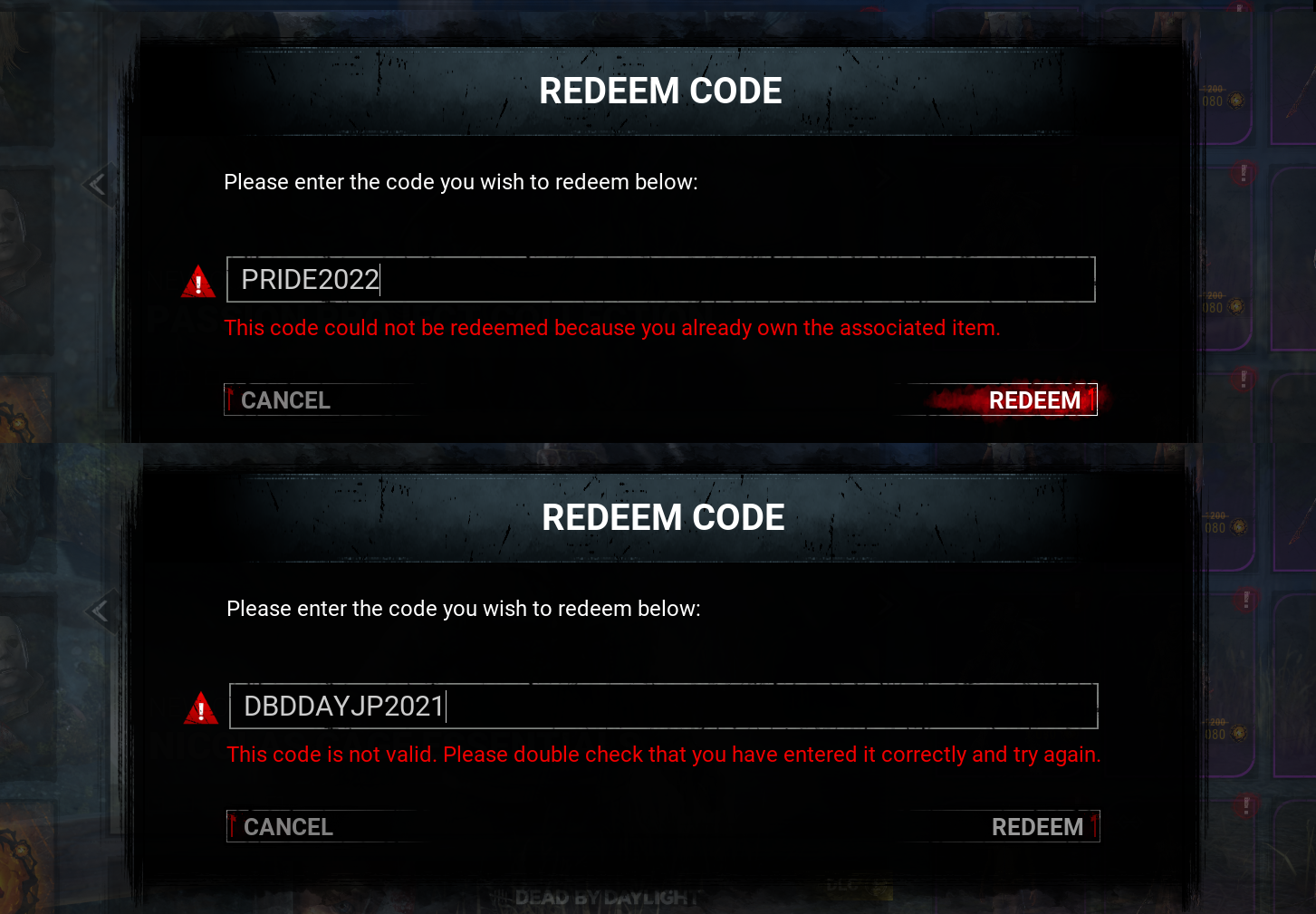
Your Behaviour account has already received the 10M reward through that specific platform. Skip to the next unlinked platform and try the code there.
What do I do with 50 million Bloodpoints?
The current roster is 42 Killers and 51 Survivors, so 93 characters total. A single prestige on one character costs roughly 1 million Bloodpoints, so fully prestiging every character in the roster costs around 93 million Bloodpoints. With 50 million from the multi-platform trick you have enough to fully prestige roughly half the roster, or to put every character through one full prestige plus a deeper Bloodweb reset on the ones you main. During the Black Banquet event, it accelerates the Anniversary Cake grind significantly because each character's Bloodweb level-up contributes to event progress. For build-focused players, it means every new perk is unlocked the moment PTB drops without grinding. For more on how to spend them efficiently, see our Black Banquet farming guide and our Patch 10.0.0 killer tier list.
When does the DBD10BIRTHDAY code expire?
July 16, 2026. The code stops working after the Black Banquet event ends. You can still redeem it after merging store accounts - the expiration is per-store-redeem, not per-merge.
Does Cross-Progression cost anything?
No. Cross-Progression is a free Behaviour feature available to all players. It does not require BHVR Points, Auric Cells, or any other currency.
I set up Cross-Progression first and then redeemed - the Bloodpoints went to the wrong account. How do I fix it?
You did the steps in the wrong order - redeem before you set up Cross-Progression. The 10M reward tracks to whichever Behaviour account is signed in at the moment of redemption, not to your "primary" account afterwards. If you accidentally redeemed on a fresh Behaviour account you created by mistake, the Bloodpoints are stuck on that account unless you contact Behaviour support to merge them manually. Cross-Progression sync does not retroactively move Bloodpoint rewards between BHVR accounts, only store-side entitlements (DLC ownership). To avoid this: always sign in to your existing main Behaviour account first, redeem the code, then enable Cross-Progression.